
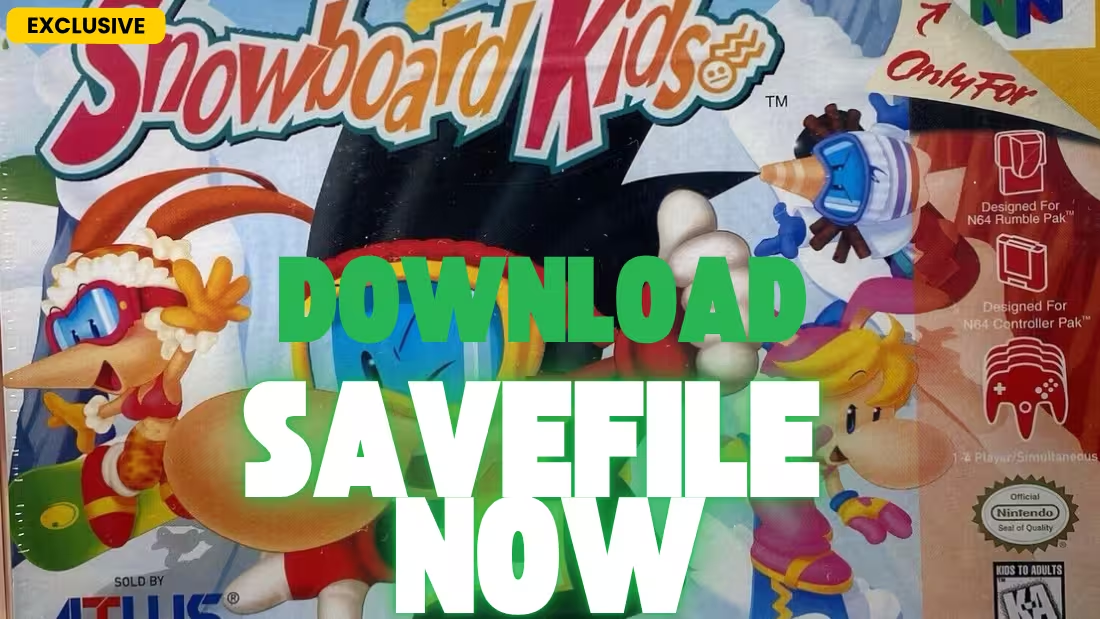
There comes a time when you just want to shred the slopes as Shinobin without grinding through all nine courses. Whether you’ve lost your save to a corrupted Controller Pak, switched to an emulator, or simply want all characters and boards unlocked from the start, a 100% save file is the perfect solution. Today, we are offering a complete 100% Save File for Snowboard Kids that unlocks everything this classic N64 racing game has to offer .
About Snowboard Kids: Snowboard Kids is a snowboarding racing game developed by Racdym and published by Atlus for the Nintendo 64 in 1998 . Often compared to the Mario Kart series, it features unique gameplay mechanics including “Shots” (weapons), a gold-based item system, and courses that range from snowy mountains to deserts and amusement parks .
What’s Included in This Save File?
This save file is designed to give you the complete Snowboard Kids experience. Based on the game’s unlockable content, here are the key features you can expect :
- All 9 Courses Unlocked: Every track available, including unorthodox courses like an amusement park, desert, dark highway, Japanese cherry blossom village, and underwater course .
- Secret Character Shinobin Unlocked: The only unlockable character in the game—becomes available after completing all nine courses .
- All Boards & Upgrades Purchased: Every snowboard in the shop unlocked with max upgrades.
- All 6 Characters Playable: Slash, Nancy, Jam, Linda, Tommy, and Shinobin all available .
- Maximum Gold: Plenty of currency for purchasing items during races.
- All Courses Completed: Full story progression with all courses beaten.
Game Overview: Snowboard Kids on Nintendo 64
Snowboard Kids was released in 1997 in Japan and 1998 in North America for the Nintendo 64 . Here’s what makes this game special:
Unique Gameplay Mechanics
- Shots & Items: Special weapons used to attack other players, similar to Mario Kart’s power-ups .
- Gold-Based Item System: Players must pay 100 gold to grab an item during a race—gold is earned through performing tricks or collecting coins .
- Two Item Slots: Carry a shooting item and a support item (like a rock or invisibility) simultaneously .
- Lap System: Courses require multiple laps—players pass through a lift gate at the bottom to be transported back to the top .
- Trick System: Perform flips, spins, and grabs while jumping to earn coins .
Playable Characters & Stats
Each character has three stats that affect their racing style :
- Speed: Determines straight-line speed
- Corner: Determines how quickly the character can turn
- Trick: Determines hangtime for executing tricks to earn coins
Character Roster
- Slash: Balanced character, good for beginners
- Nancy: Trick specialist, excels at jumps and turning but slower speed
- Jam: Another balanced character, similar to Slash
- Linda: Speed-focused, highest straight-line speed but weaker turning and tricks
- Tommy: Speed-type, overweight character with blinding speed but poor turning
- Shinobin (Unlockable): Secret character unlocked by completing all nine courses
Course List
The game features nine main courses :
- Snowy mountain courses
- Amusement park
- Desert
- Vast valley
- Dark highway
- Japanese village during cherry blossom festival
- Underwater courses
- Other unorthodox locations
Why Use a Pre-Made Save File?
While unlocking everything in Snowboard Kids is a fun challenge, using a 100% save file offers several distinct advantages:
- Time Efficiency: Skip the time required to complete all nine courses and unlock Shinobin .
- Controller Pak Protection: The N64 version saves to a Controller Pak, which is known to randomly corrupt or erase data . This save gives you a permanent backup.
- Restoration: Recover lost progress if your Controller Pak fails or if you switch to emulation.
- Immediate Access: Play as Shinobin, the secret character, without grinding through every course.
- All Boards Available: Use any snowboard with max upgrades from the start.
📁 Save File Location
Before installing the new save, you need to know where to place it. The location depends on how you’re playing the game .
Project64 / Mupen64 / Other N64 Emulators
[Emulator Installation Folder]\Save\Some emulators use a saves folder instead. Check your emulator settings under Options → Settings → Directories to confirm the save path.
Save File Format: Snowboard Kids uses EEPROM for saving, so save files have the .eep extension . The save file must have the exact same filename as your ROM (e.g., if your ROM is “Snowboard Kids (U).z64”, the save file should be “Snowboard Kids (U).eep”).
RetroArch (Mupen64Plus Core)
[RetroArch Folder]\saves\For RetroArch, you may need to rename the extension from .eep to .srm for the save to be recognized.
Original N64 Hardware
On original Nintendo 64 hardware, Snowboard Kids saves to a Controller Pak (memory card inserted into the controller) . To transfer this save to a physical Controller Pak, you will need:
- A Retrode or similar device to dump/restore saves to Controller Paks
- A Gameshark with save backup functionality
- An EverDrive 64 flash cartridge that supports Controller Pak emulation
⚙️ Installation Guide
Follow these steps to safely install your new 100% save file.
For N64 Emulators (Project64, Mupen64, etc.)
- Backup: Navigate to your emulator’s
Savefolder. Copy any existing save files to a safe location to backup your current progress. - Find Your ROM Filename: Locate your Snowboard Kids ROM file and note its exact filename (e.g., “Snowboard Kids (U).z64”).
- Download & Extract: Click the download link to obtain the save file. Extract the
.zipor.rarfolder using WinRAR or 7-Zip.
Alternate Link
- Rename the Save File: Rename the downloaded save file to match your ROM filename exactly, keeping the
.eepextension. Example: if your ROM is “Snowboard Kids (U).z64”, rename the save to “Snowboard Kids (U).eep”. - Copy/Paste: Move the renamed save file into your emulator’s
Savefolder. - Launch: Start your emulator, load Snowboard Kids, and select “Load Game” from the main menu. Your 100% save should appear!
For RetroArch (Mupen64Plus Core)
- Follow the steps above to rename the file, but use
.srmextension instead of.eep. - Place the file in your RetroArch
savesfolder. - In RetroArch, go to Settings → Saving and verify the Save File Directory path.
For Original N64 Hardware (Advanced Users)
- Download the save file and extract the
.eepfile. - Using a Retrode or similar device, connect your Controller Pak to your PC.
- Use software like N64 Save Tool to write the
.eepfile to your Controller Pak. - Insert the Controller Pak into your N64 controller, launch Snowboard Kids, and load your save.
Frequently Asked Questions (FAQ)
Is this save file safe to use? Will it work with my emulator?
Yes, save files for N64 emulators are completely safe to use. This save works with Project64, Mupen64, RetroArch, and most other N64 emulators. The key is ensuring the save filename matches your ROM filename exactly .
Why does the N64 version need a Controller Pak to save?
The Snowboard Kids cartridge does not have built-in save memory—it saves to a Controller Pak (memory card) inserted into the controller . This is why many players have experienced lost progress over the years, as Controller Paks can fail or be swapped between games .
Will this work on real Nintendo 64 hardware?
Yes, with the proper tools. You’ll need a device like a Retrode or Gameshark to transfer the save file to a physical Controller Pak. If you’re using an EverDrive 64, you can place the save file in the appropriate folder and enable Controller Pak emulation.
What about Snowboard Kids 2?
Snowboard Kids 2 saves directly to the cartridge—no Controller Pak required . This save file is for the original Snowboard Kids only. If you need a 100% save for the sequel, you’ll need a different file.
The save doesn’t appear. What do I do?
If the save doesn’t appear, try these fixes:
- Ensure the save file has the exact same name as your ROM (including capitalization)
- Check that the file extension is correct (
.eepfor Project64,.srmfor RetroArch) - Make sure the save is in the correct folder—Project64 uses
Save, not the ROM folder - Launch the game once to generate a save file, then replace it with the downloaded one
- For Project64, go to Options → Settings → Directories and verify the save directory path
System Requirements for N64 Emulation
To run Snowboard Kids on your PC via emulation:
Minimum Requirements
- OS: Windows 7 / 8 / 10 / 11, macOS, or Linux
- CPU: 2.0 GHz dual-core processor
- GPU: DirectX 9 or OpenGL compatible
- RAM: 2 GB
- Storage: 100 MB for emulator + 12 MB for ROM
Recommended Emulators
- Project64 – Most popular N64 emulator with great compatibility
- Mupen64Plus – Cross-platform with RetroArch support
- Simple64 – Modern emulator with high accuracy
About Snowboard Kids
Snowboard Kids was developed by Racdym and published by Atlus in 1998 for the Nintendo 64 . The game was showcased at the Tokyo Game Show in September 1997 and received generally positive reviews, with critics praising its smooth controls, inventive course designs, and multiplayer depth .
- IGN called it “a solid title that incorporates the graphic and gameplay styles of Mario Kart into a snowboarding environment” .
- Electronic Gaming Monthly praised the power-up system and noted the game stands out from its competition .
- Nintendo Life concluded: “With bold, colourful graphics, tons of charm, memorable tunes and, most importantly, tight gameplay, Snowboard Kids is worthy of a place in anyone’s collection” .
Snowboard Kids was followed by a sequel, Snowboard Kids 2, released in 1999, which added new characters, improved controls, and saved directly to the cartridge . A Japan-exclusive PlayStation port, Snowboard Kids Plus, was also released in 1999 with additional content .
Conclusion
Stop grinding through courses and start enjoying everything Snowboard Kids has to offer. With this 100% save file, you have access to all nine courses, secret character Shinobin, and all boards in an instant. Whether you’re protecting yourself from a failing Controller Pak or simply want to experience the game with everything unlocked, this save has you covered .
If you found this guide helpful, please leave a comment below letting us know which character is your favorite! Thanks for reading, and happy shredding! 🏂✨