
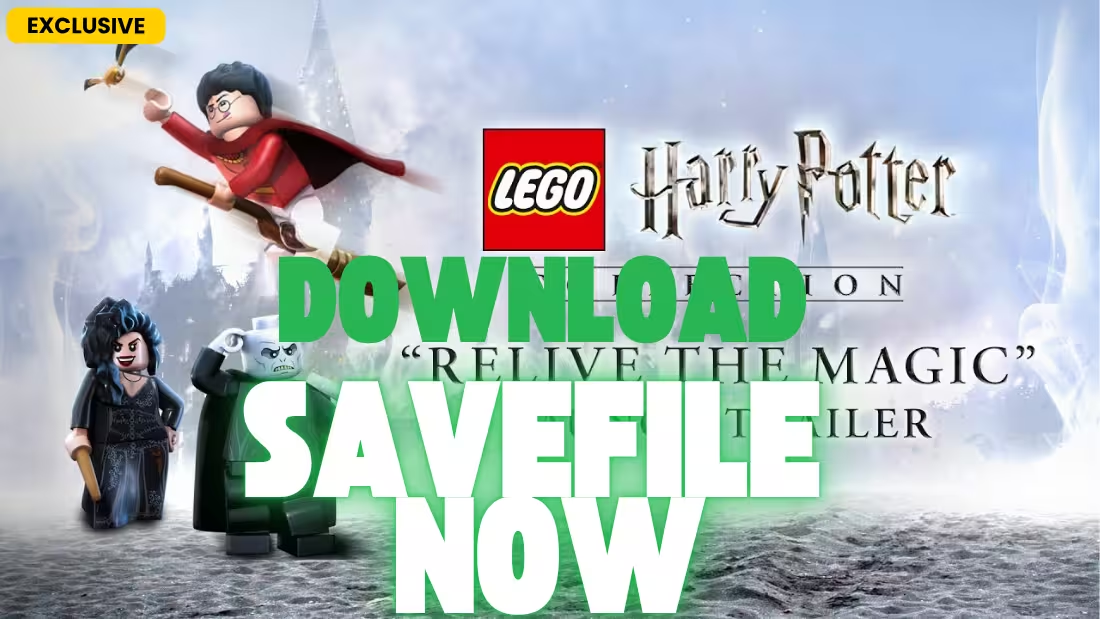
There comes a time when you just want to explore Hogwarts with everything unlocked without hunting down every last gold brick or rescuing every student in peril. Whether you’ve lost your progress to a corrupted save, switched to a new PC, or simply want all spells and characters available from the start, a 100% save file is the perfect solution. Today, we are offering a complete 100% Save File for LEGO Harry Potter that unlocks everything across both Years 1-4 and Years 5-7 .
About LEGO Harry Potter: LEGO Harry Potter: Years 1-4 was released in 2010, followed by Years 5-7 in 2011. The games were developed by Traveller’s Tales and published by Warner Bros. Interactive Entertainment. In October 2024, the LEGO Harry Potter Collection was released, combining both games with enhanced graphics .
What’s Included in This Save File?
This save file is designed to give you the complete LEGO Harry Potter experience across both games. Here are the key features you can expect:
- 100% Completion (Years 1-4): All 200 gold bricks, all character tokens, and all students in peril rescued
- 100% Completion (Years 5-7): Full completion with all collectibles unlocked
- All 167 Characters Unlocked: Every playable character available, including Harry, Ron, Hermione, Voldemort, and all unlockable characters
- All Gold Bricks Collected: All 200 gold bricks across both games—no more searching every corner of Hogwarts
- All Students in Peril Rescued: Every hidden student saved, unlocking bonus content
- All Spells Unlocked: Wingardium Leviosa, Accio, Expecto Patronum, and all other spells available
- All Red Bricks Unlocked: Every cheat and bonus feature activated
- True Wizard Status: All levels completed with True Wizard rating
Save File Location & Installation Guide
📁 Save File Location
LEGO Harry Potter saves are stored in your Windows user folder, not in the game installation directory. This is part of Windows’ security system starting from Vista—programs save user data in the AppData folder rather than the Program Files folder .
Primary Save Location (Both Years 1-4 and 5-7):
C:\Users\[Your Windows Username]\AppData\Roaming\WB Games\LEGO® Harry Potter™\SavedGames\Quick Access Method:
- Press Windows + R to open the Run dialog
- Type
%APPDATA%\WB Games\LEGO® Harry Potter™\SavedGamesand press Enter - This will take you directly to the save folder
Alternative Location (if running without admin rights):
C:\Users\[YourUsername]\AppData\Local\VirtualStore\Program Files (x86)\...Some users have reported saves appearing in the VirtualStore folder if the game was not run as administrator .
⚙️ Installation Guide
Step 1: Backup Your Existing Saves
- Navigate to the save folder using the path above
- Copy all existing
.savfiles to a safe location (like your desktop or a backup folder) - Save files are typically named
SAVEGAME1.SAV,SAVEGAME2.SAV, etc.
Step 2: Download and Extract the Save File
Alternate Link
- Click the download link to obtain the save file. It will be in a
.zipor.rarformat - Use WinRAR, 7-Zip, or Windows’ built-in extraction tool to extract the contents
- You should see several
.savfiles
Step 3: Install the New Saves
- Copy the extracted
.savfiles into your SavedGames folder - If you want to keep your original progress, rename the downloaded files to unused save slots (e.g., if you already have Save 1 and Save 2, rename the new files to Save 3 and Save 4)
- If you want to replace existing saves, overwrite the files (after backing up)
Step 4: Launch the Game
- Start LEGO Harry Potter
- From the main menu, select “Load Game”
- Choose the save slot corresponding to the files you installed
- Enjoy 100% completion!
Step 5: (Optional) Disable Steam Cloud
If you’re playing through Steam and want to prevent cloud sync from overwriting your new save:
- Right-click the game in your Steam Library
- Select Properties → General
- Uncheck “Keep games saves in the Steam Cloud for LEGO Harry Potter”
Cheat Codes for Missing Collectibles (Years 5-7)
If you’re missing just a few collectibles and don’t want to use a full save file, LEGO Harry Potter: Years 5-7 includes official cheat codes that unlock missing items. These codes are designed for players stuck at 90% completion or higher .
How to Use Cheat Codes
- Load your game (must be at 90% completion or higher)
- Go to Diagon Alley and enter the Weasley Wizard Wheezes shop (large purple and orange joke shop)
- Walk to the left on the ground floor to the Jack-in-the-box code enter board
- Enter the code for each missing collectible
- Important: If missing multiple collectibles, enter all codes one after another without leaving the shop—exiting between codes will invalidate them
- After entering codes, go to any Free Play level, collect some studs, pause, and select “Return to Leaky Cauldron” → “Save and Exit” to save your progress
Gold Brick Cheat Codes
| Code | Unlocks |
|---|---|
fa37zt | Gold Brick |
cawz8l | Gold Brick |
qjmctc | Gold Brick |
n81lge | Gold Brick |
wlgdbb | Gold Brick |
Student in Peril Cheat Codes
| Code | Unlocks |
|---|---|
rdnq6z | Student in Peril |
kp6mtg | Student in Peril |
zgzmve | Student in Peril |
358cea | Student in Peril |
btjphh | Student in Peril |
Character Token Cheat Codes
| Code | Unlocks |
|---|---|
pm8ax2 | Character Token |
g1e5b5 | Character Token |
p5z9ap | Character Token |
rjhn6l | Character Token |
lgk7j6 | Character Token |
Note: These codes are for Years 5-7 only. They will only work once you have reached 90% completion and will not work if used earlier .
Why Use a Pre-Made Save File?
While unlocking everything in LEGO Harry Potter is part of the fun, using a 100% save file offers several distinct advantages:
- Time Efficiency: Skip the 40+ hours required to collect all 200 gold bricks, 167 characters, and rescue every student in peril
- Corrupted Save Recovery: A known bug can corrupt saves, especially close to 100% completion. Many players have reported losing progress at 98% or higher
- Restoration: Recover lost progress if your save file becomes corrupted or you switch to a new PC
- Steam Cloud Issues: Some players have reported Steam Cloud not properly syncing saves between PCs—a manual backup is the only reliable method
- Immediate Free Play: Access all characters and levels in Free Play mode from the start
Troubleshooting Common Save Issues
Save File Not Recognized
If your save file doesn’t appear in the game:
- Ensure the file is in the correct folder:
%APPDATA%\WB Games\LEGO® Harry Potter™\SavedGames\ - Check that hidden files are visible in File Explorer
- If you’re using a different game version (Steam, retail, or SKIDROW), the save location may vary
- For the LEGO Harry Potter Collection (2024), saves may be in a different directory
Corrupted Save Recovery
If you encounter a “sauvegarde corrompue” (corrupted save) error:
- Try restoring from a backup if you have one
- Check PlayStation Cloud saves if playing on console—some users have recovered progress this way
- Use the cheat codes above to recover missing collectibles if you were close to 100%
Save Files Not Transferring to New PC
If you’re moving to a new PC and your saves aren’t appearing:
- Manually copy the entire SavedGames folder from your old PC to the new one
- Make sure to copy to the exact same path:
%APPDATA%\WB Games\LEGO® Harry Potter™\SavedGames\ - If using Steam, ensure cloud sync is enabled before launching the game on your new PC
- Note that saves from cracked versions may not work with legitimate copies
Frequently Asked Questions (FAQ)
Is this save file safe to use? Will I get banned?
Yes, save files for LEGO Harry Potter are completely safe to use. The game has no anti-cheat system, and using custom saves is a common practice among PC players. However, we always recommend backing up your original saves first just in case.
Will this work with the Steam version?
Yes, this save works with the Steam version of LEGO Harry Potter: Years 1-4 and Years 5-7. The save location is %APPDATA%\WB Games\LEGO® Harry Potter™\SavedGames\ . If you have Steam Cloud enabled, consider disabling it temporarily during installation.
Will this work with the LEGO Harry Potter Collection (2024)?
The LEGO Harry Potter Collection is a remastered version released in October 2024 that combines both games with enhanced graphics . Save files from the original games may not be directly compatible with the new collection. However, the save structure may be similar. If you’re playing the Collection, test the save location first.
Does this save include both Years 1-4 and Years 5-7?
Yes, this 100% save file includes full completion for both LEGO Harry Potter: Years 1-4 and LEGO Harry Potter: Years 5-7. All gold bricks, characters, and students in peril are unlocked across both games.
How do I get the save file to show up in the game?
After copying the .sav files to the SavedGames folder, launch the game and select “Load Game.” Your save should appear in the list. If it doesn’t, ensure the files are named correctly (e.g., SAVEGAME1.SAV, SAVEGAME2.SAV) .
What about the cheat codes? Can I use them instead of a full save?
Yes! The cheat codes provided above are official and can help you reach 100% if you’re missing just a few collectibles. They only work in Years 5-7 and require 90% completion before use .
System Requirements for Reference
For players who want to ensure their system can run LEGO Harry Potter :
LEGO Harry Potter: Years 1-4 (Original Release)
- OS: Windows XP/Vista/7/8/10
- Processor: Intel Pentium 4 1.8 GHz or AMD Athlon XP 2200+
- Memory: 512 MB RAM (2 GB for Vista/7)
- Graphics: ATI Radeon X1300 or Nvidia GeForce FX 5800 (256 MB VRAM)
- Storage: 6.6 GB
LEGO Harry Potter Collection (2024 Release)
- OS: Windows 10
- Processor: AMD Ryzen 3 1200 or Intel Core i5-4590
- Memory: 4 GB RAM (8 GB recommended)
- Graphics: AMD Radeon HD 7850 or Nvidia GeForce GTX 650
- Storage: 14 GB (SSD recommended)
About LEGO Harry Potter
LEGO Harry Potter: Years 1-4 was released on June 25, 2010, followed by Years 5-7 in 2011. The games were developed by Traveller’s Tales and published by Warner Bros. Interactive Entertainment. Together, they adapt all eight Harry Potter films into LEGO’s signature humorous and collectible-filled gameplay .
Key features include:
- LEGO Harry Potter: Years 1-4: Covers Harry Potter and the Philosopher’s Stone through Harry Potter and the Goblet of Fire
- LEGO Harry Potter: Years 5-7: Covers Harry Potter and the Order of the Phoenix through Harry Potter and the Deathly Hallows
- 200 Gold Bricks: Hidden throughout Hogwarts, Diagon Alley, and other locations
- 167 Playable Characters: From Harry, Ron, and Hermione to Voldemort, Dumbledore, and countless others
- Students in Peril: Hidden students that need rescuing throughout the levels
- Red Bricks: Unlockable cheats that add fun modifiers like stud multipliers and character extras
Conclusion
Stop hunting down every gold brick and start enjoying everything LEGO Harry Potter has to offer. With this 100% save file, you have access to all 200 gold bricks, all 167 characters, every student in peril, and all spells and red bricks in an instant. Whether you’re recovering from a corrupted save, switching to a new PC, or just want to explore Hogwarts with everything unlocked, this save has you covered.
If you found this guide helpful, please leave a comment below letting us know which Hogwarts house you’re in! Thanks for reading, and happy spell-casting! 🧙♂️✨