

WWE 2K23 Stopped Working.are you also depressed because when Jhon sena is about to make an entry in WWE 2k23, the game stops working or the game crashes or shows the error ce-34878-0? if you want to fix it then you are at the right place to fix your issue, take some time to fix the issue rather than having incomplete information ruin everything.
WHY DOES WWE 2K23 KEEP CRASHING?
if you see certain errors and your WWE crashes or shows some errors on startup during the game or startup then these must have been the reasons for that problem
- Corrupted game files
- Low priority in task manager
- Outdated drivers
- High graphics settings
- Low ram
- If your system doesn’t have the worth to play the game ( NO OFFENCE )
FIX: WWE 2K23 Stopped Working, Crashing
It’s high time to fix the errors that have been listed above. hold my lead and I shall give you the keys to fix all your WWE 2K23 errors, a great man once said that “DONT STOP WHEN YOU ARE TIRED, STOP WHEN YOU ARE DONE”
ALSO READ: Far cry 6 lag stuttering fix
1. Disable Time Game Update
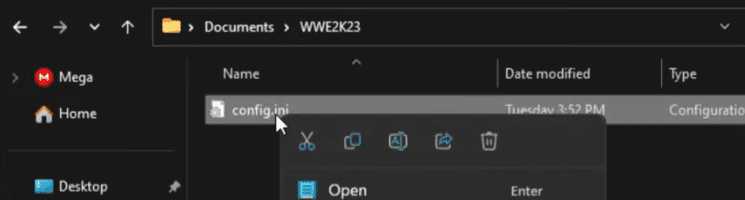
- open my PC then go to the documents
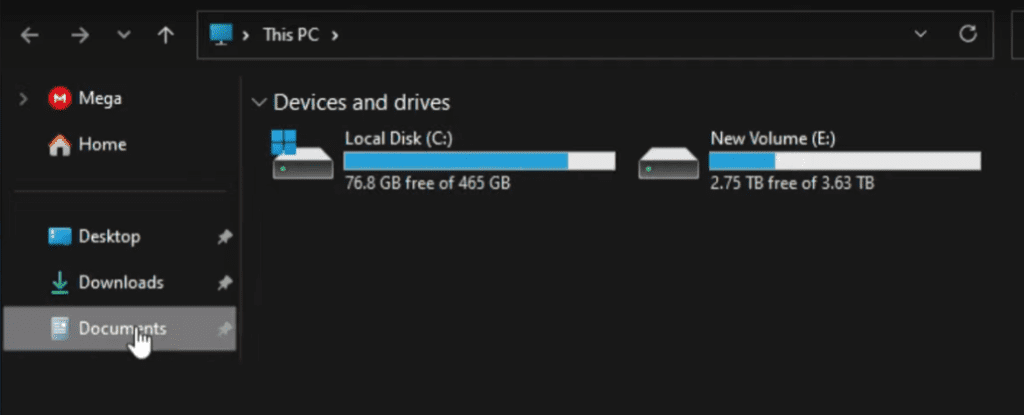
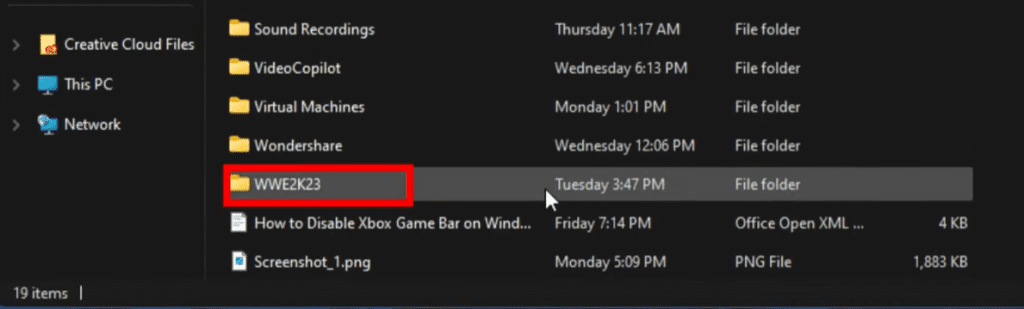
- open the WWE2k22 folder
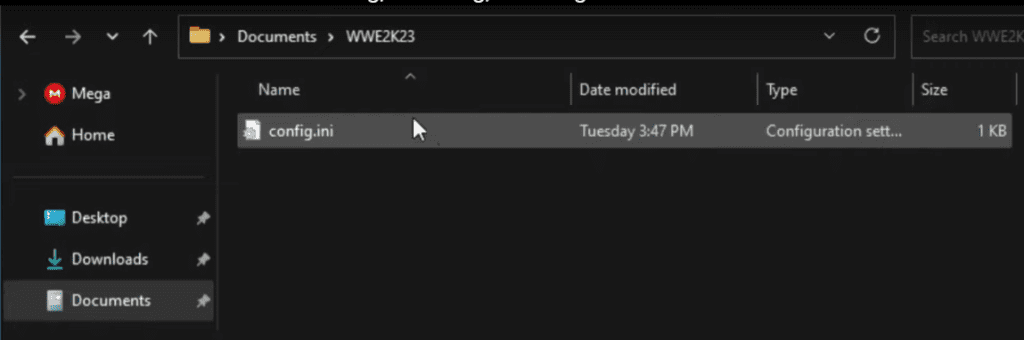
- double click on the config.ini file, and select notepad if asked or does not open
- Search for the time_game_update section and turn it off
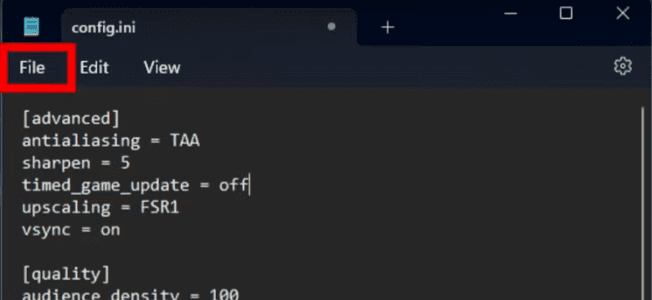
now that you have turned it off you can save the file for the changes to happen
2. set game performance to high
- Press the windows+I key and settings will appear
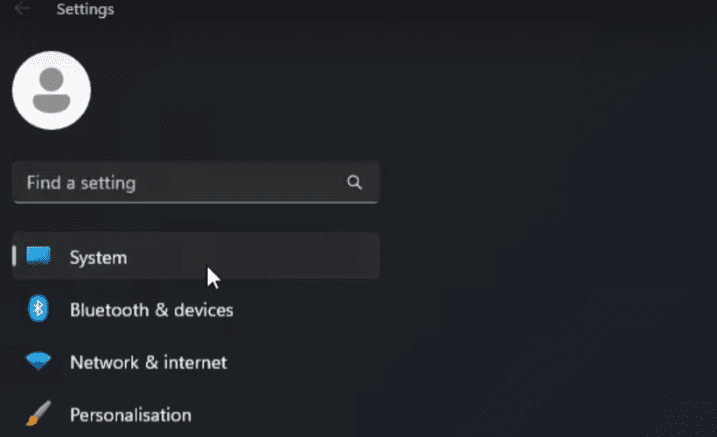
- click on system and click display

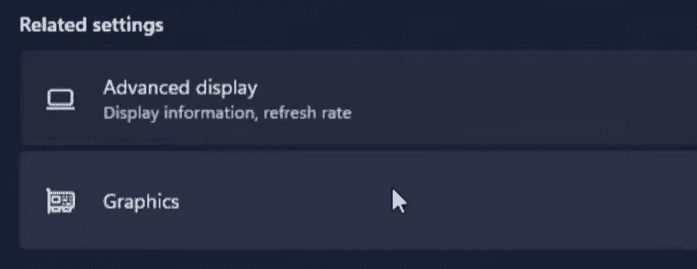
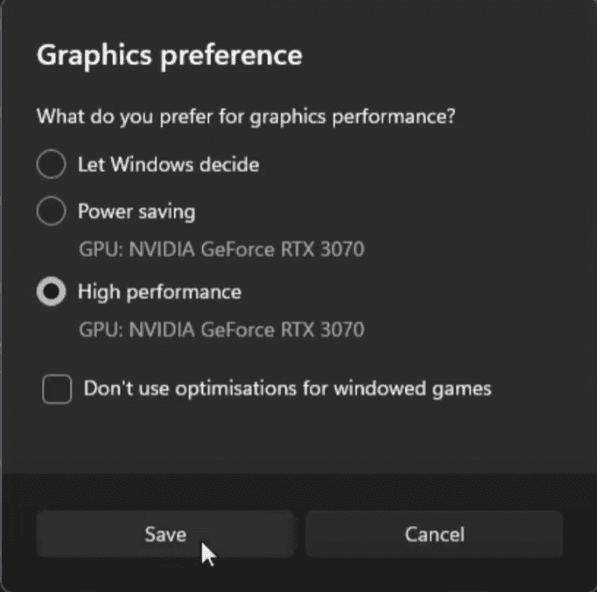
- select graphics settings
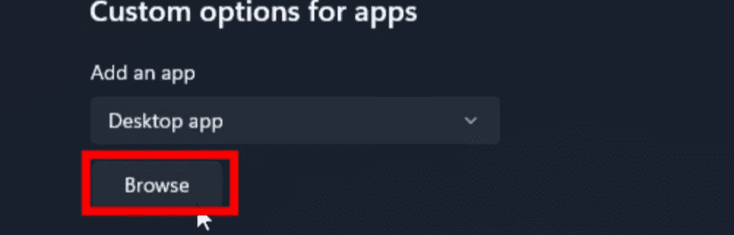
- click on the browse option and select the wwe2k23 installation folder
- select WWE 2k23.exe and add it
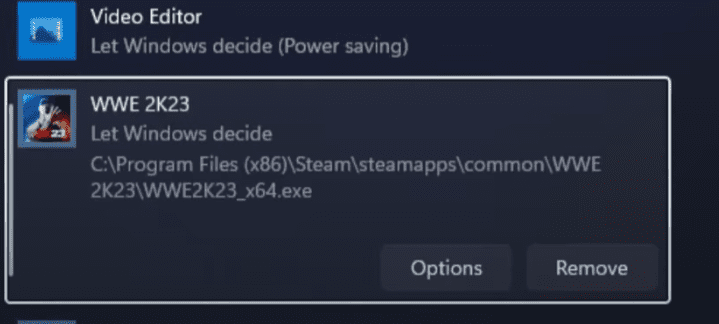
- click on options and select high performance
- open steam and click on Library
- right click on the game and select the menage option
- click browse local files
- keep the address in mind to open the graphics settings
3. Delete the config file
- open the game folder
- select the config file and delete it
4. Check game integrity
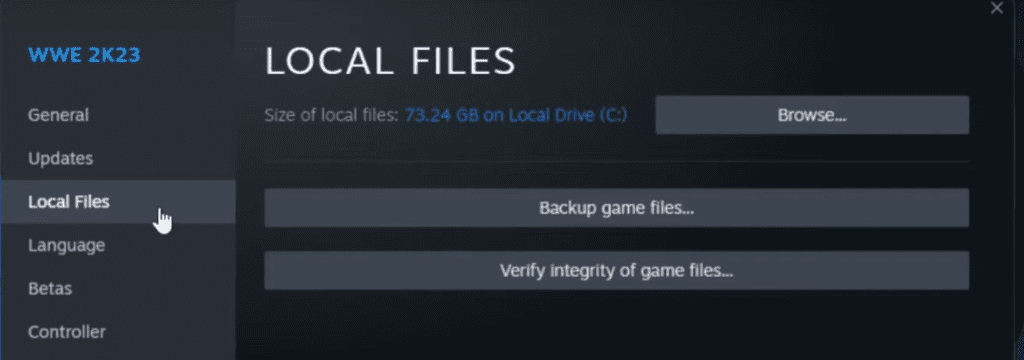
- open steam and click library
- right click on WWE2K23 and select properties
- select the local files tab and check the integrity of the game
5. Disable the steam overlay if you want
in most of cases, the Steam overlay might cause your wwe2k23 to crash, consider shutting it down to avoid this happening if you have a low-end gaming PC.
6. Disable antivirus
doing that might not be good option for your computer but you know better what an anti virus software does to your PC files well not much but you can play smart here and add the game in your anti-virus exclusion list not completely shutting down the antivirus software. so the safety of your computer must be your priority
here are the steep no how you can add WWE 2k23 to anti virus exclusion list
- type windows security in the search bar and then select the top result
- select virus and threat protection
- click on manage ransomware protection
- click on how to allow the app to controller folder access
- click on add an allowed option
- select browse all apps
- select your game .exe file and click open
- disable controller folder access option
7. Change Power settings
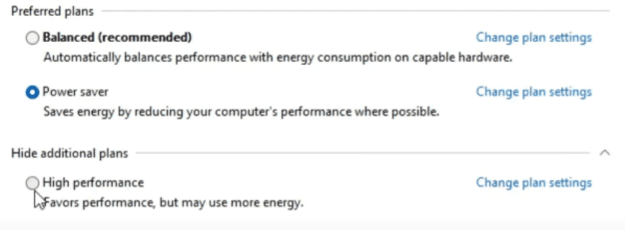
- open control pannel and select power options
- unhide additional plans
- and click adjust for best performance
- this will not only improve the gameplay but also will boost WWE 2k23 FPS as well
8. Reinstall Microsoft Visual C++ Runtime
To do so, you can follow these steps:
- Open the Start Menu, and type “apps & features” and open it.
- Find the Microsoft Visual C++ program(s) in the list and click on each one.
- Click on “Uninstall” and follow the instructions.
- Once all the programs are uninstalled, then restart your computer.
- Go to the official Microsoft website and download the latest version of Microsoft Visual C++ Runtime.
- Install it on your computer and restart your system to make the changes take effect.
If you want to try repairing or modifying the existing installation of Microsoft Visual C++ Redistributables, you can also do so by going to the App & Features section of the Windows Settings and selecting the program from the list, then clicking on “Modify” or “Repair”.
9. WWE 2K23’s Graphical Settings
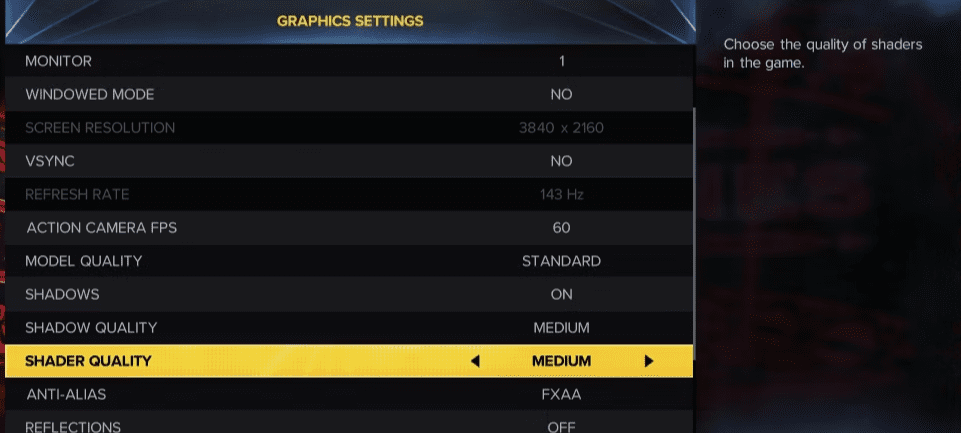
change your wwe2k23 graphics to the following in order to improve the game’s performance
- Blur Motion Off
- Windowed Mode – No
- Standard Texture Quality Reflections – Off
- No VSYNC Dynamic Upscaling – Linear
- Standard Model Quality Shadows – Off
- Medium Shader Quality 60
- ActionCamera FPS Anti-Alias – FXAA
- Depth of Field – Off